SSH sessions, side by side
Group your hosts and switch between SSH sessions with tabs and split panes.
Native macOS app
Manage SSH sessions, transfer files, query databases, and follow logs, all from a native Mac app.
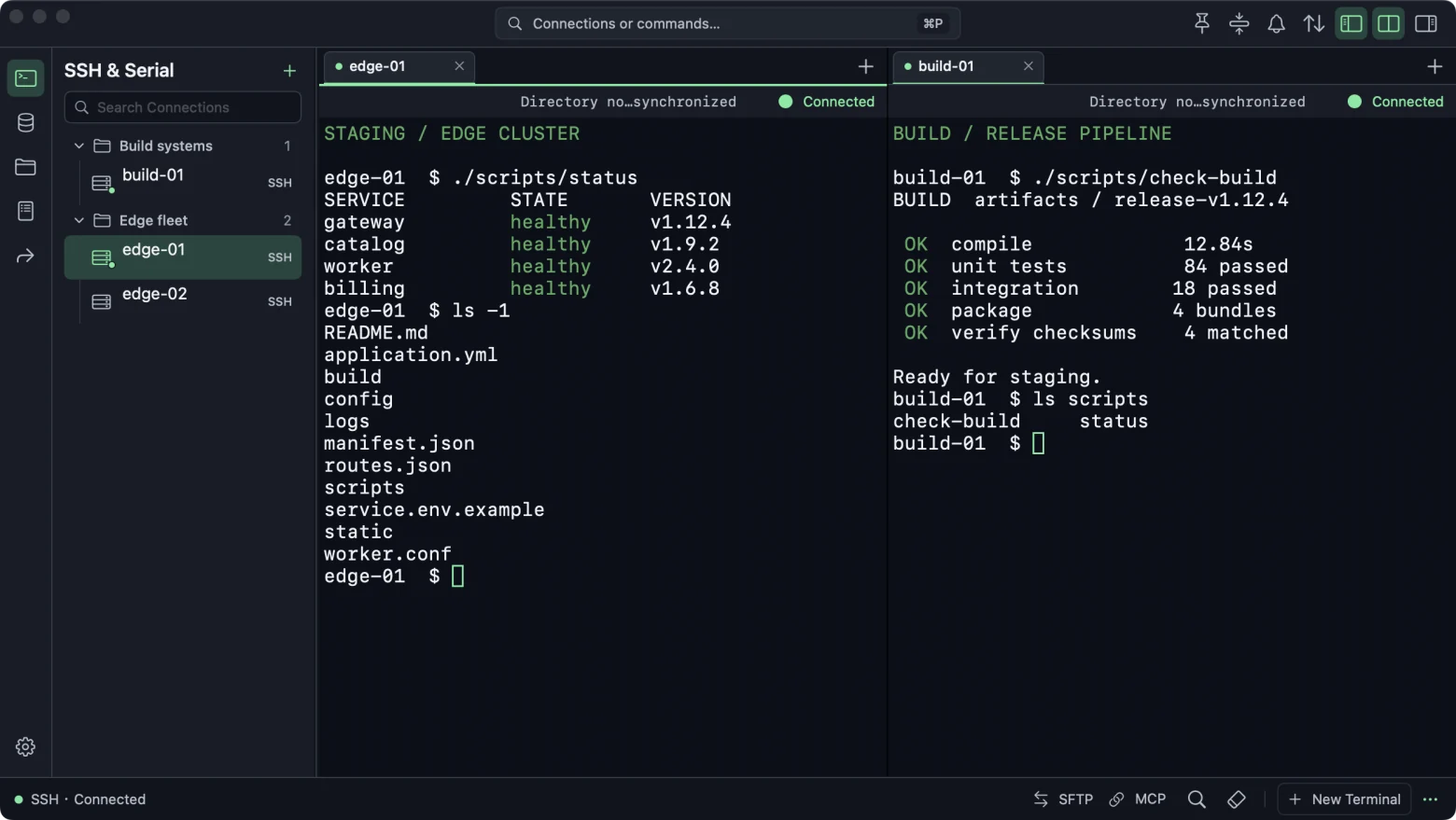
Switch between the tools you use to run and troubleshoot remote systems.
Group your hosts and switch between SSH sessions with tabs and split panes.
Browse two directories side by side, then drag files and folders between them.
Query PostgreSQL, MySQL, MariaDB, and SQLite in one workspace.
Tail, search, and parse logs from SSH hosts in separate tabs.
Start and stop local forwards, remote forwards, and SOCKS5 proxies.
Reuse Porta connections over MCP. Choose the hosts, capabilities, and folders for each client.
Requires macOS 14 or later and a Mac with Apple silicon.
Download coming soon.

You can open a local terminal, connect to your SSH hosts, and transfer files without a Porta account. Signing in is optional and enables account sync.
Yes. Import hosts from your OpenSSH configuration, then check the connection settings and verify the host fingerprint on first connection.
In Porta, open Settings → MCP. Register your client and choose which hosts, capabilities, and file roots to allow. Use the generated configuration in Codex or Claude Code.